Setting Dean/VP Routing for PBS
Purposes
In order for departments to approve PBS documents, a signature from the Dean/VP office is required. Dean/VP routing must be setup in *DEFINE by the Dean's office.
How To Setup Dean / Vice President Routing
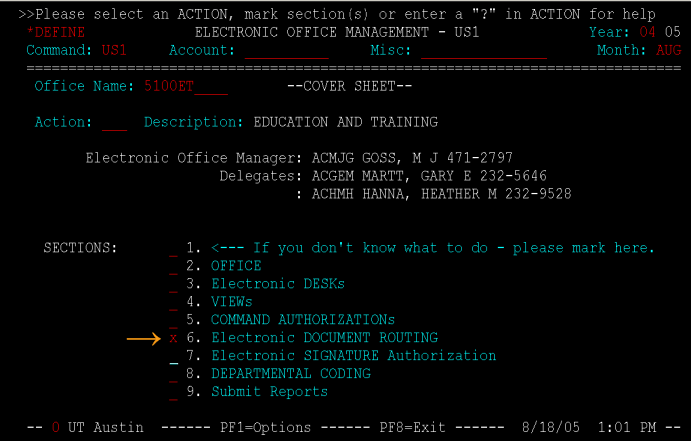
From the US1 cover sheet screen mark Section 6: Electronic Document Routing.
US1 Cover Sheet
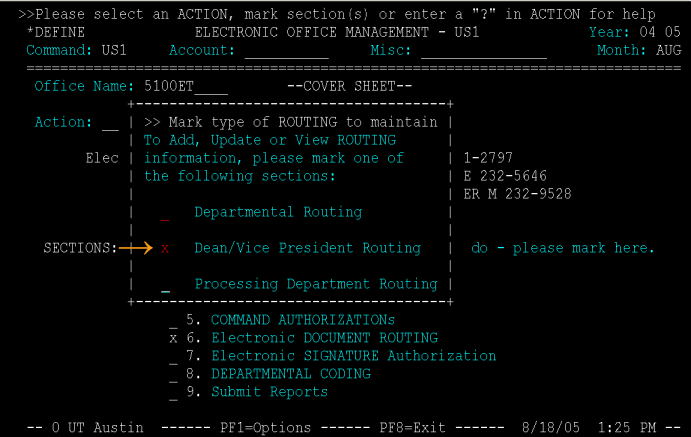
Mark the Dean/Vice President Routing in the pop-up screen.
US1 Type of Routing Selection
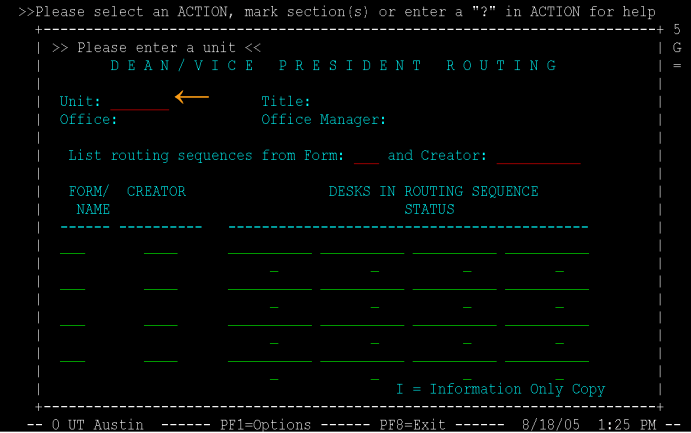
On the Dean/Vice President Routing screen type the Unit Code that your office would like to opt-in to.
US1 Dean/Vice President Routing
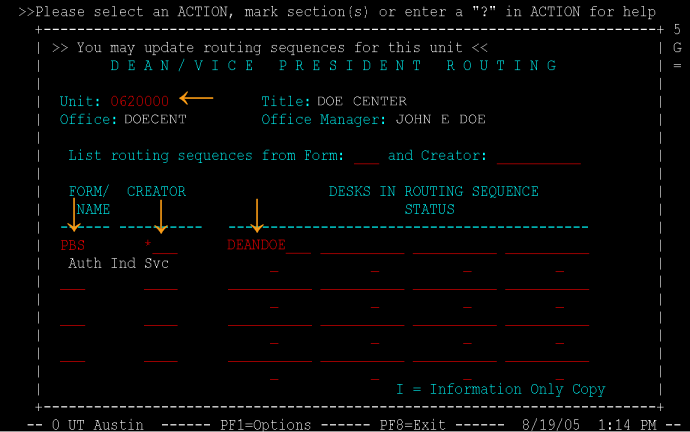
Type into the Form/Name field "PBS". Type in an asterisk "*" for the Creator field. Then type in the name of the desk from your Dean/VP office that you would like for the PBS document to route to for approval.
US1 Dean/Vice President Routing Example
Routing
All PBS documents must be routed to a Dean/VP's office for approval.
If the total on the PBS is greater than $15,000.00 or the total on the PBS document plus the total amount of all payments to the vendor for the current fiscal year is greater than $15,000.00, the PBS will be routed to the Provost's office for final approval.
If a vendor has been granted an exception by the Provost's office then the PBS will final approve at the Dean/VP level until the total amount of payments to the vendor has exceeded the amount specified by the exception.
